

Add Beam Testnet to MetaMask
Select the network that you want to add:
What Is Beam Testnet?
Beam Testnet is the canary network for Beam. New updates get rolled out on Beam Testnet first, and only get activated on Beam after a successful testing period on Beam Testnet. Using this canary network, developers can test their applications in an incentivized, production-like environment instead of having to rely on test networks. The native token of Beam Testnet is BEAM. Learn more about Beam Testnet on its website.
Steps To Add Beam Testnet to MetaMask
The process of adding Beam Testnet to your wallet may be slightly different depending on the wallet you are using. The steps below are for MetaMask. If you are using a different wallet, there is most likely a similar process that you can follow.
1. Open your wallet and go to the "Add network" page.
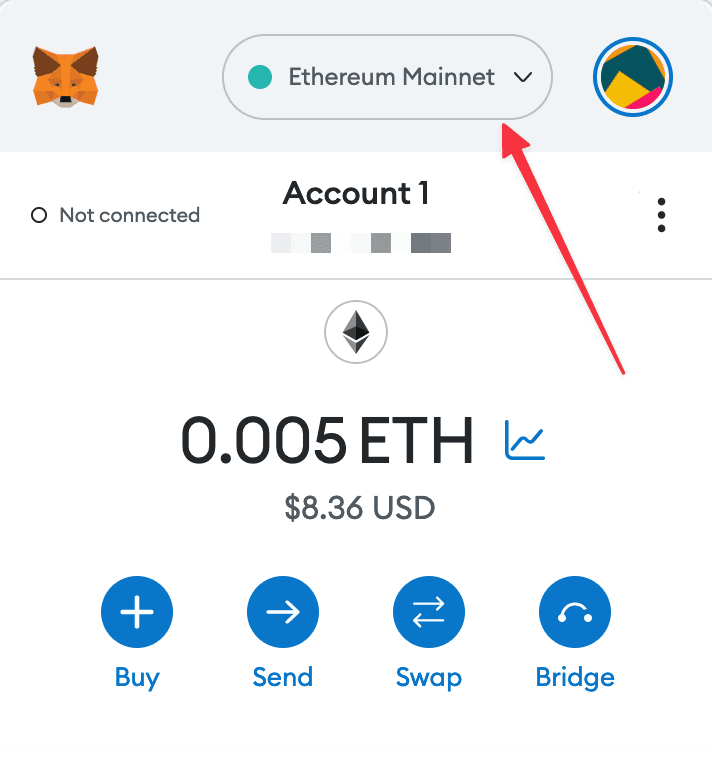
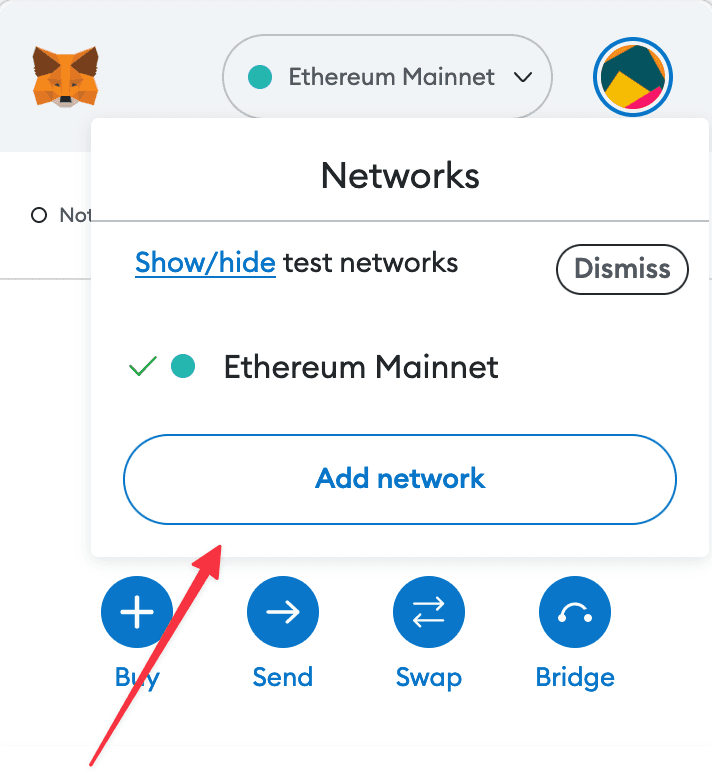
2. Enter the required details and click "Save".
After entering all the required details, you can click "Save" to add Beam Testnet to MetaMask.
Alternatively, you can use our one-click button so you don't need to enter the required details manually.